Showing posts with label apps. Show all posts

5 Apps To Help You Through Your Back-To-Work Week

Thursday, January 9, 2014

Hello all! I hope your holidays were merry and bright - and I hope you stayed safe in the polar vortex (how epic is that name, seriously? Polar vortex)!


I don't know about you, but this week certainly has been a one-way trip on the struggle bus. According to research, the Monday back from the holidays was called "Blue Monday" - because it was supposed to be the most depressing day of the year.

So how do you bounce back from the holiday blues? With a little help from technology, of course. These apps have helped me come back swinging after New Years...or at least have kept me awake at my desk.

Coffitivity (iOS& Android) is a bizarre but absolutely brilliant concept: for those of us that can't work along to music but can't stand complete silence either. Coffitivity emulates the sounds of a coffee shop with three settings: Morning Murmur, Lunchtime Lounge or University Undertones. You can add your own music as a background, or simply listen to the soothing coffee shop sounds by themselves.

Happier (iOS) is a 21-day course that helps boost your attitude through short daily lessons. The course costs $50, or you can get the free app here. If nothing else, this app will help you keep your perspective as you are remembering how late you got to sleep over the holidays. Sigh.

Have a really great quote that always helps you get through the day? Write it down, put a really cool background behind it and then share it with the world using Quollective (iOS). Or, if that just seems to hard, just browse around the Quote Library. Someone's quote will be sure to inspire you. How do I know? Oprah uses the app. Bam. Your argument is invalid.

Need help getting your life back into shape after the holidays? Meet your sadistic new friend, Carrot (iOS). Carrot  promises to be "your new task master" and will get upset if you "persist in sloth" (Carrot's words, not mine). Complete the things on your to-do list and Carrot will reward you. It makes crossing things off of your to-do list not only fun...but necessary. 

Color Zen (iOS & Android) is an addictive soothing game that combines a gorgeous interface with soothing music that will have that four hour budget meeting becoming a distant memory. As much of a puzzle as it is an addictive zoning-out program, the object of Color Zen is to match the shapes with colors to fill the screen with one outside color. Check out the trailer, it is about as soothing as the actual game is:


What apps have got you going this work week? Tell me by commenting below!

Bloglovin

Monday, November 18, 2013

Hey everyone!

Please follow my blog on Bloglovin' to get regular updates!

Check it out here:

Follow my blog with Bloglovin

We Interrupt Your Regularly Scheduled Broadcast to Bring You....

Wednesday, November 6, 2013

With art, you always have someone in every medium that pushes the envelope and creates something entirely new and unheard of; artists who try to take some ordinary substance and turn it in to extraordinary pieces of art.

It is no different with social media. As technology progresses, people are finding different ways to use the social media forums given to them to create something the world has never seen before.

These pioneers have done just that. Some have used apps, others have used Tumblr, all producing content that is unique and never-before seen. Enjoy!

Didn't get enough Halloween? Check out the new app Haunting Melissa (iOS). The Producer of The Ring and Mulholland Drive created this ghost story video series that will give you chills. Episode by episode, you will learn the whole story, and experience twists and turns along the way. The interactive story will even let you snap in-app pictures and upload them to Instagram, to make sure you creep out all your friends.

The first app of its kind, Haunting Melissa may change the way producers share their content in the future. Instead of creating a mini-series for TV, more and more video series may show up as interactive apps, which allow for audience participation as well as social interaction. I mean, come on. You know you want to post the creepy ghost pics on your Instagram, tell them that its real and scare the beejezus out of your followers.

You know I will. 

Want more eeriness? Listen to the podcast Welcome to Night ValeSet in a small desert town, the podcast is played as a radio show that points out the mysterious goings-on, from unexplained lights overhead to disappearing aircraft to bizarre neighbors. Read like a radio show broadcasting the news to this small town, this podcast has become wildly popular due to its original content and dead-pan humor. 

The podcast started a wave of entertainment personalities using podcasts as a story-telling device, rather than simply for interviews, education, marketing or news casting. Like the radio programs of old, podcasts have been rebranded to story-telling devices, and this story...may make you weary of small desert towns from now on.

Humans of New York is a Tumblr profile that takes photo blogging to a whole other level. What started as one man's project to create a photographic census of New York turned into a series of photographs and short stories about the unique people of New York. 

Unique New York. Say that five times fast. 

Instead of the normal memes and Harry Potter/Mean Girls mashups you regularly see on Tumblr, Humans of New York uses the photo sharing platform to tell mini stories about people he encountered. Potentially, more and more people could use Tumblr  to facilitate photo-journalism and news bullets.

Not that I'm hating on Harry Potter/Mean Girls mashups.


Speaking of great Tumblr users, Electric Literature is an indie publishing company that has revolutionized the book publishing process. Instead of traditional book printing, Electric Lit makes releases eBooks as well as a magazine called Recommended Reading that can be seen on either their app or on Tumblr.

They were also the driving force behind author Ricky Moody creating an entire short story simply using Twitter.  Charged with the task of creating a story using a series of Tweets, Moody wrote "Some Contemporary Characters", a tale of two online daters whose date does not succeed. Unlike other stories that have been produced using Twitter, Moody wrote this with Twitter in mind, using the social media platform to create these two characters and develop their personalities to the readers. Even thought this project was met with a lot of media backlash, Electric Literature became well known and succeeded in gaining many interested readers.

Question: where can amateur film makers go to market their movies and connect with their fanbase? Look no further than Chill, a website that will advertise and distribute your movie, and allow fans to follow their favorite producers. If someone produces a mini-series, Chill will email their viewers to alert them of any upcoming episodes or to sell any merchandise made for the movie. They have revolutionized the way that movie makers are able to distribute their content: no longer having to show their groundbreaking footage for free on a shaky YouTube platform.

These are just a few examples of some social media pioneers. Do you know of any not shown on this list?   

HaPpY BiRtHdAy GoOgLe!!!!

Friday, September 27, 2013

Happy 15th birthday, Google! From all of us Google fans out there, you have made our lives easier and more complete.

Keep doing what you do, Google.

In honor of Google's birthday, I have decided to give you a list of my favorite Google easter eggs - that is, fun things you can do with the Google homepage, as well as some Youtube, Google Earth and Google Hangout. Seriously, pull up the Google homepage now and get to searching. You WON'T regret it.

Google Homepage

Google in 1998: In honor of their birthday, Google just came out with the "Google in 1998" easter egg. Just enter those words into the search bar and get a blast from the past.


Google Gravity: Click this link to have your Google world come crashing down: http://www.mrdoob.com/projects/chromeexperiments/google-gravity/

Askew or Tilt: Search "askew" or "tilt" then try really hard not to tilt your head. 

Barrel Roll: Search "do a barrel roll" or "z or r twice", an homage to the video game Star Fox 64.  

Google Interfaces: Google has made different interfaces over the past years. Here's one for pirates, one for the Swedish Chef from the Muppets, one for hackers, and one for those who are more pig latin inclined


YouTube 

Beam Me Up, Scotty: Search these words in your YouTube box for an out-of-this-world surprise.


Use The Force, Luke: Enter these words in your search bar to control your screen using the force. 

Ponies or Bronies: If you enter "ponies" or "bronies" in the YouTube search bar, YouTube will not only pull up "My Little Pony" videos, but ponies will come prancing across your screen. Ummm...yes please. 


Google Hangout 

/ponies: If you enter "/ponies" in your chat bar, a pony will run across your Google Hangout. Copy and paste for a whole stream of ponies. OR...
/ponystream: is for if you want a pony stream across your screen and your screen only. 

/shydino: "/shydino" will make a cute dino run across your chat and hide. 

/pitchforks: Like angry mobs? well "/pitchforks" is for you! Enter it in your chat, and an angry mob will run across!  

Google Play 

Unicorns: If you don't enter anything in the search box and click search anyway, Google Play will direct your search results to "unicorns".


What are your favorite Google easter eggs? Let me know! 


Reliving your childhood? There's an app for that.

Thursday, September 26, 2013

Hey lovely techknows! I apologize for being MIA lately, I have had work project after work project, then a car accident...sigh. I could do with a vacation right about now.

Anyways, in order to apologize for my absence, I have decided to scour the internet for apps that would remind you of your childhood.

These apps are a serious blast from the past. Be prepared to go buy them instantly and then spend the rest of the afternoon raising your Tamagotchi. Yeah, you read that right. 

For those of us who could never keep our Tamagotchi alive for more than a couple days, there is an app that will let you vindicate your poor virtual pet keeping skills. After all, we're older now right? Tamagotchi Life (Android & iOS)  helps you relive the days of feeding your Tamagotchi under your desk so that the teacher couldn't see. Not like I did that...or anything...

For those who spent their afternoons in the arcades as kids, Atari's Greatest Hits (Android & iOS) might be the app for you. Relive the golden age of gaming, where pixelated spaceships were your worst enemy. And no quarters needed! 

90s kids, level with me. You always took your mom's Nokia phone and played Snake on it, right? I mean, that game was hours upon hours of entertainment. And you only needed the numbers 2,4,6 and 8 to play it. Now you can download Snake Classic (iOS), an app remake of the game that even includes phone number controls! I feel 13 again. 

And just where would your childhood have been without your favorite rainbow accesssories? That's right, Lisa Frank has an app. Two, in fact.  Lisa Frank Pic n' Share (Android & iOS) and Lisa Frank Zoom n' Color (Android & iOS) help you reenter that rainbow technicolor world you know and love. Pic n' Share lets you set the scene by dragging and droping Lisa Frank characters into backgrounds of your choice. Zoom n' Color is a virtual coloring book that lets you choose your paint color to fill in a Lisa Frank picture. Warning: looking at Lisa Frank for more than a couple minutes at a time may cause over stimulation and serious migraines. Like, was it really THIS technicolored when we were little? SHEESH.

Dysentery, ahoy! Remember Oregon Trail (Android & iOS)? Once again, make decisions for your pioneers as they cross treacherous trails and rivers to tame the frontier. But seriously, what is dysentery? And why did EVERYONE always die from it?!

There was nothing more stressful as a kid as Frogger (Android & iOS). Keep your frog alive as you hop across the highway once again with this free app.

Know of any other apps that remind you of your childhood? Seriously, when are they coming out with a channel that just plays vintage Disney Channel movies and "All That" reruns?! 


Going to the Movies

Monday, August 26, 2013

Whether its staying in with a bag of popcorn or going out to the theater, horray for Hollywood! I love movies, especially anything that involves Pixar, Disney, happy endings and brightly colored shiny things to hold my attention.

Nobody claimed I wasn't a seven-year-old trapped in a 23-year-old's body.

However, the movie experience can be made even MORE enjoyable through...what, class? Anyone? Bueller?

That's right, technology! There are so many apps and websites that will make sure you get the right movie-going experience or chose the right movie. After all, movies are like, $20 now. It would almost cost you the same to see a bad movie as it would to buy a plane ticket and go throw tomatoes at the director/screenwriters house.

I'm just saying.

To start, you need the basics of movie-going apps. Apps like Fandango (Windows, Android & iOS) will tell you what is playing in a theater near you. It will also let you preview the movie and buy movie tickets right from your phone. So when the midnight premiere of the new Superman/Batman movie with Ben Afflek goes on sale, you will be able to buy tickets before everyone else!
\
Just kidding, no one will be there.

Speaking of bad movie decisions, Rotten Tomatoes by Flixster (Windows, Android & iOS) is a movie rating app that shows you what the critics think about a certain movie (is that an actual job? movie critic?) to what rating actual moviegoers gave it. Save yourself some time and read what other people say about the movie you are thinking of seeing. Just watch out for the spoilers!

RunPee (Windows, Android & iOS) wins the award for Most Useful App That No One Actually Knew They Needed. Seriously. Turn this app on at the start of your movie, and it will tell you the best times to go use the little girls/boy's room. It will tell you how much time you have to make it there and back, and will give you a synopsis of what you missed while you were gone. I always have to pee during movies (darn you, 40-0z jumbo soda!) so this app is the best invention, hands down.

We all know the feeling: "O darn. That guy, that was in that movie...the guy with the hair....and the teeth! You know the one I'm talking about!" Breathe easy, my friend, and iMDB that ish (Windows, Android &iOS). It has saved me many a times from only remembering the name of that actor/actress 30 minutes after the conversation has ended, believe you me.

Not sure what to Netflix? Try Movie Twist (Android & iOS). This app allows you to type in the name of a favorite movie and will recommend other movies that are similar to that one. Or click "explore" and tell the app how much of the following characteristics you want in your movie: loving, funny, violent, thrilling or clever; and it will also give you great recommendations.

Except "White Men Can't Jump". Stop giving me that recommendation, darn it!

For those who want a different movie watching experience, Chill is a website that was created for those lesser-known filmmakers to exploit their talents, allowing users to rent and watch their movies, and then support their projects. Chill is equal parts Kickstarter and Pinterest for movies, and some movie projects even have a merchandise store, so you can wear your support. It is definitely worth taking a look at on a slow Friday night.


Also, I need this.


What are some of your favorite movie apps? Comment below to let me know!

Best Vines You Need to Follow - NOW.

Wednesday, August 7, 2013

Hopefully by now you should all know about the social media app Vine (because after all, I did post about it here first). If not, let me give you the 411.

Vine is a video sharing site that lets you take 6-second videos and post them to a feed to share with your friends. Its sort of like a moving Instagram.

How good can videos that only last 6 seconds get? See for yourself. I have compiled a list of my favorite Vine users with a little help from the Facebook group Best Vines and Mashable.

Creative: 

Yves Das

Jethro Ames

Ian Padgham

Educational:

Nordstrom

Lowes

Labanauskaite123

Funny:

Jerry Purpdrank:

KingBach and watch this and this

Brandon Calvillo

Jerome Jarre and watch  this

dem_white_boyz

kingdaddy

David Lopez


And these Vines that tell the truth:

How I leave rooms after turning off the lights

How I feel when I close my eyes when I wash my face

If you like it, then you should've put a ring on it

Expectation vs Reality when I do the cup song

Opinion Time! Technology Tracking: Okay, or Just Plain Creepy?

Wednesday, July 31, 2013

Monday, an article came out in the New York Times about the future of apps. It stated that apps of the future will be more like "personal assistants", and will be able to instinctively know what you need, when you need it. How? The answer is simple: the app would go through your calendar, emails and personal conversations.

Apps will see that you discussed meeting up with someone, for example, will be able to recognize this, and ask you questions like "You are free Monday night, would you like to schedule this then?" or "Here are a couple of top rated seafood restaurants in your area, would you like me to make you a reservation?"

Having been both a personal assistant and techie, I was intrigued by the idea, even excited about it. After all, I had once been privy to private emails, calendars, bank accounts and passwords of someone, why would placing that trust in an app be any different? Soon after, though, the words of Mr. Weasley in the second Harry Potter book came to mind: "Never trust something if you can't see where it keeps its brain."

I emailed the article and asked for a couple of my coworker's responses. Most of them were negative. "I want to go back to writing letters", one coworker stated, "Apps can't read those." "Creepy," another one added. "Definitely creepy."

Paid or sponsored advertising, also known as direct marketing, is a big issue as well. Companies will pay Google or Facebook to advertise to those who search for certain subjects or talk about certain things on their social media profile. For example, say that you search for "pet stores". Immediately, Google will give you all the pet stores in your area (which by the way, is another way of it tracking you).

But lets say you click out of that search and go to read an article somewhere. Google still has in mind that you searched for pet stores, and ads will continue to pop up on different pages you go to. Google knows you have a pet or are interested in them, so the ads that you get will all be directed toward pet owners, or animal enthusiasts.

As privacy-invasive as this may seem, think about what you just did. You accessed a public company's website to use its resources. You used a search engine to find what you needed, a search engine that paid an employee to set up the matrices and codes in order for you to find the pet store that you wanted. You essentially waved your rights to privacy by using this resource. Think about it in terms of the law of commerce: if you want something, you have to give something in return.

My advice to people is that if you don't want to be tracked, if you don't want Facebook or Google to use your information to advertise to you, simply don't use them. They are companies trying to make money, and you are using their resources. There is no such thing as a free lunch, unfortunately. Same goes with apps. If you don't want them to track you, don't use them.

I for one am looking forward to buying apps in the future that set up my schedule. If I had a dime for every doctor's appointment I forgot....

What do you think about this issue? Is technology tracking okay in some aspects, but wrong in others? Comment below to let me know! I want to hear your thoughts! 

Take Me Out to the Ball Game

Friday, July 26, 2013

Ahhh...baseball season. America's pastime. Getting a jersey tan from basking in the sun for too long and paying $20 for a water and hot dog. Is that grass and stale beer you smell?


Breathe in the memories, my friends.

These apps will help you make the most of this joyous season. That is, until football season rolls around.

At the Ballpark (iOS & Android) is probably one of the most useful apps for baseball game attendees. Created by MLB.com, you can use it to upgrade your seats once you enter the ballpark, look for tickets and promotions, or even buy your favorite team's merchandise from your seat.

 ESPN Radio App (iOS & Android) allows you to listen to the action even if you can't make it to the game. Personally, baseball radio announcer's voices are so soothing to me that it helps me fall asleep. So hey, if you aren't interested in baseball, you can always use this app to induce naps! Twofer!

Race to the Pennant (iOS) is for those fans who have no clue where their favorite team stands. This app will show you, in easy bar graph form, where your team is in conjunction to the playoffs.

Never been a fan of watching baseball, but love to game? Baseball Superstars 2013 (iOS & Android) will help you get into the fun! It's like Backyard Baseball for the grown up set.

MLB.com At Bat (iOS & Android) is the best app for all-encompassing baseball goodness. Whether you want to watch live games, look at stats or read baseball news, this is the best app for baseball fans everywhere.

Just make sure to look out for flying bats. And no, I don't mean the sky rodents:


Apps for Your 4th of July Vacation

Wednesday, July 3, 2013

Most people think vacation is the time to toss the technology and enjoy all the surprises and nuances nature has to throw at you. I mean, all of the technology buzzing around your head is why you wanted to get away in the first place, correct?

Well the Type A personalities of the world say nay. You can use your phone to see what the weather will be like, what the best times are to do that outdoor activity that you have been wanting to do, when to apply sunscreen, etc. Heck, there are even shark trackers. 

Essentially, your phone can be your lifeline to a vacation with no sunburn, not getting rained on, and not getting eaten by a 16-foot Great White Shark. I mean, God Bless America, amiright?

Coppertone MyUV Alert (Android & iOS) gives you local UV forecasts, allows you to set your own "reapply sunscreen" reminder, and recommend a product based on each family member's skin type and activity level. Save the red for your 4th of July decorations, not your skin color.

Foresee (iOS) is a weather app that lets you see the future. First, pick your location and a couple of activities that you want to do (for instance: running, swimming, wakeboarding, etc) then pick your ideal conditions and time of day that you would like to do these activities. It will then tell you the best times to go do your activity, depending on your preferences.

What;s the Fourth without a little fireworks? These apps: Fireworks (iOS) and Fireworks Touch Free (Android) will help you get in the celebratory mood even if your fireworks show gets rained out.

Grill Guide (Android & iOS) is a must if you planning on grilling out this Independece Day. Choose your food from their extensive food list and let the app tell you how long to grill each item, and how hot your grill should be.

Global Shark Tracker (iOS) lets you know where sharks have been recently by tracking over 30 sharks that Ocearch has tagged. This is helpful for those of us who still have nightmares from watching Jaws as a kid. Shudder.

And for the love of George Washington, please read up on your Independence Day history. We did not declare independence from China.: 


Little Kiddies

Thursday, June 27, 2013

While in college, my naive little self wrote this paper about how technology was effecting children and why parents should stave off introducing their children to iPhones and iPads until they were out of their crucial development phase. And it was a great theory.

Let me reiterate that: THEORY.

Because when you are taking care of a little one, and that little one refuses to just sit down FOR FIVE SECONDS, that theory goes out the window. And in comes the shiny, loud, distracting and beautiful piece of machinery that will save you from having to chase the toddler away from the knife drawer for the fifth time today.

Not that I would know about such things...ahem. Moving on.


Babies

Animal Sounds for Baby (iOS) by Fisher Price is an interactive game that helps your baby learn animal names and the sounds that they make. Babies can tap, tilt or shake the screen to make the animals move.

Peekaboo Barn (iOS & Android) is another animal app that is sort of like playing hide-and-go-seek with animals. Once they see the animal, the name of the animal pops up on the screen. You can play in either Spanish or English. Check out the jungle and the forest versions too!

It's a Small World App (iOS & Android) is a beautiful app by Disney that lets your baby explore the world without ever having to leave home! Using beautiful illustrations and the familiar songs, your baby can navigate from country to country learning how to say "hello" in various different languages.


Toddlers

Toca Birthday Party (iOS) allows your child to play birthday party on your iPhone or iPad, complete with cake cutting, drink pouring, table setting, present opening, etc. Recommended for ages 3 and up, this app is perfect for the child that likes to play with their food.

Monkey Preschool Lunchbox (iOS & Android) - help the monkey pack his lunch by completing challenges. The challenges will help teach toddlers colors, motor skills, counting and will help tone up their memory. An adult might want to help though - some of the challenges can be mighty tough for little minds!


School Age

Crayola ColorStudio HD for iPad - Even though you have to buy the iMarker to work the app (it goes for around $20 in various stores), I have heard from many parents that this app is worth it. Kids can draw, paint, color and snap a picture of their face, then draw around their face. Ummm...who would judge me if I got this app for my 23-year-old self?

WATCH Disney Channel App (iOS) - Kids LOVE Disney Channel, and now they can watch it whenever, where ever they want. Download this app for at least 30 minutes of peace and quiet, guaranteed.


Preteens/Teens

Netflix - Seriously, take this time that your kids think they are too cool for you for granted and hand them a Netflix account. They will be entertained all day watching their favorite shows, season after season. Just make sure to put parental locks on it. You don't want them downloading anything they shouldn't!


For the Kid in All of Us

Candy Crush Saga (iOS, Android) is the single most addicting game. Seriously. Proceed with caution. Match up candies in a row to get rid of the candies, and advance through the 300+ levels. This game can take A LOT of your money before you know it (I kept buying lives!) so watch out!

My DisneyWorld Experience App (iOS, Android) - because you know you love Disney World. Don't lie. This app will help you navigate the park easier, will tell you when fast passes are sold out and will even find the location of your favorite characters you meet (wait up, Cinderella!). You are also able to pass information back and forth from app to app, so have the whole group download the app to stay together.


This is my niece's favorite YouTube video. I dare you to watch it and then try not to get it stuck in your head. It won't work. You will be singing "Baby Beluga" to yourself for the next five years.:


What apps do you use to entertain kids? Do you let kids play on your smartphone or tablet?

I've Been Nodding My Head And Smiling At...The New iOS 7 Features

Thursday, June 20, 2013

iPhone iOS 7 interface by Apple
Hello all my techies! Welcome to the portion of TKTN called "I've Been Nodding My Head and Smiling At...", where I explain something you may have just been nodding your head and smiling at when it comes up in conversation.

That's just the kind of person I am, you are so welcome.

Now, If you know anything about the tech world, you should know that everyone is absolutely going ape poo over the interface changes on the iPhone with Apple's next update. It seems everyone is on one of two sides: the side that is excited about the simplicity of the new look, or the side that thinks Steve Jobs is rolling over in his grave right about now.

Let me back this up a bit to give you a greater understanding.

On June 10th, Apple announced its plans for the new and improved iOS 7 download at its Worldwide Developer Conference. They unveiled a whole new look for the iPhone interfaces. Gone are the 3D-looking icons: they are being replaced with flatter, simpler looking icons that are in an updated color scheme. iPhone's interface is going technicolor.

Many say that this is going against the direct wishes of Steve Jobs, who had approved the older icon designs personally. As he put it, he wanted the 3D icons to be so attractive that they would make people want to "lick them"* (no, seriously, he said that).  While not exactly lick-able, the flatter icons add a simplicity to the iPhone user interface that rivals that of Android and Windows phone, just as the Apple creative directors wanted.

Want to know more about the iOS 7 changes? Check out some of these highlights:


Control Center

The Control Center is a swipe-up menu that has certain settings features, like Bluetooth connection, wireless connection and Airplane mode. You can also control your music from the Control Center, as well as a new feature called Airdrop.


Airdrop

In answer to other smart phone's share capabilities, you will be able to share content with other iOS 7 users through the Control Center. It will also let you know which iOS 7 users are nearby, making content sharing easy and fast.


iTunes Radio

iTunes Radio, like Spotify, Pandora, etc. will enable you to chose songs to stream, and will allow you to choose radio stations based on your music choices.


And finally, my favorite iOS 7 feature rumor:


Blocking cell phone numbers by using your phone

Instead of having to call the phone company to block a number from your phone, there is a rumor going around that you will be able to block someone's number directly from your phone. THAT WOULD BE SO HANDY. Seriously.


For more information, check out this video that Apple released:


What do you think about the new iOS 7 functionalities? 

*http://mashable.com/2013/06/15/top-comments-ios-7/ 

I AM UP TO 500 PAGEVIEWS! WOHOO!!!

Wednesday, June 12, 2013

Image from Hemaia Group
Thank you, thank you, kind readers. You are the reason that I blog and the reason for my general spike in ego in the past few weeks.

KIDDING! Sort of.

Anyhoo, in honor of my 500 pageviews, I have decided to let you in on my secret life of blogging. How do I keep track of so many apps? How did I get started? What are my next steps? I will let you in on these secrets....AND MORE.

Tools of the Trade

First, I will let you take a look at the tools that I keep in my Batman-like utility belt. I can't really show you my computer, because:
A) I switch between a Macbook and a Thinkpad, so I feel like I'm playing on both sides of the PC-Mac debate. My life is so political.
B) Neither one are anything fancy to look at. I have plain old everyday laptops. So I will show you more interesting pictures, like:

My iPhone screen. Here you can see I have sectioned my apps off into many little categories like the type-A freak that I am.

Here is my social media folder, which contains my MOST USED social media applications. I have the blogger app so that I can literally do crazy things like blog in the waiting rooms at doctors offices or in the middle of long, boring meetings. Just kidding, boss! I don't really do....that....ahem. Moving on.


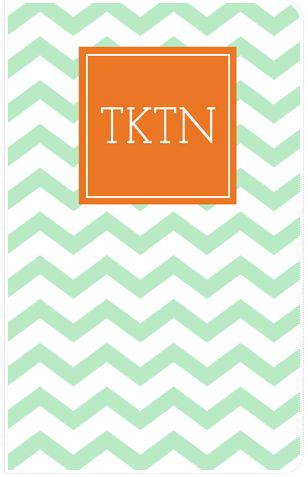
Here is my pretty To-Do List book that I designed from May Designs, in my favorite chevron print. It helps me create lists of blog posts and keep track of each posting.:


And of course, my copy of the NYTimes and my coffee. There's not a better start to a morning than with a newspaper and a coffee. Especially when its the free Starbucks coffee that I get when I drop my dog off at doggie daycare.

Now there's a first world sentence if I've ever seen one.

Of course, I always trust on my handy websites for information. I would not be anywhere without my morning dose of Mashable and TechCrunch. Whether or not you work in a tech industry like me, you can greatly benefit from these two websites. TECHNOLOGY IS EVERYWHERE, people!!! Our lives have turned in to I, Robot whether we like it or not. Embrace it.

How I Got Started

In order to get the BEAUTIFUL blog background you see here today, I went to Designerblogs.com where they have many blogger templates to choose from for only $15.

To add your background:

  • Get the file or the HTML code from your receipt, which Designer Blogs will email to you. 
  • On your sidebar, go to "Template" 
  • Then, go to the "Edit HTML" bar underneath the "Live on Blog" box. 
  • Enter the HTML code you received from your blog site.
  • NOW, START BLOGGING. Remember to always promote your blog on EVERY social media site you own. Facebook, Twitter, LinkedIn (one that everyone easily forgets), Google+, etc. Make sure you keep your friends and family engaged by asking them questions, and if you ever get an idea from someone, make sure you give them credit! Don't be an idea moocher!
Coming Next: 

In order to keep my blog going, I have decided to add social media accounts. This means I will be adding a Facebook page for TKTN, adding a Twitter account, etc. that my loyal readers can follow and get tech updates on the fly. Make sure you are on the lookout for these accounts, you won't be dissapointed. I promise!  


I would like to thank everyone who takes a slice out of their day to read my blog posts. You have made this little project of mine so worthwhile, and I am humbled by each positive comment I receive. You guys are the best!

**BUT WAIT. WHOA. I WON'T JUST STOP THERE! I AM GIVING AWAY A FREE MAY DESIGNS NOTEBOOK TO ONE LUCKY FOLLOWER!

Simply input your email address in the "Follow By Email" box in the upper-left hand corner, and then comment underneath this post "chevron", "flowers" or "anchors" as to which notebook you want by Friday, June 14th. One winner will be drawn randomly! Good luck!


Health Apps

Monday, June 3, 2013

Recently I have decided to get healthy. Yuck.

All complaining aside, there are a lot of great apps out there made specifically for those that want to look decent for bathing suit season.

Now if only there was a "make me tanner" app. Sigh.

Weight Loss/Nutrition

LoseIt! (Android & iOS) is a calorie counting app that does the hard work for you. Simply put in your weight loss goals, your age and weight, etc. and it will figure out how many calories you need to intake. Enter your workout for the day and it will calculate how many calories you burned. It has hundreds of choices of brand name food and lists from restaurants, so all you need to do is search for what you ate and it will figure out your calorie count. It also syncs with your Nike+ Fuelband, will sync with apps Nike+ Running, MapMyFitness, etc. and will record your workout into the app. The more you workout, the more calories you get to eat in a day! And you know, I really like eating. I really do.

ShopWell (iOS) is an app that allows you to scan barcodes at the grocery store, and it will not only give you the nutrition information on that particular food item, but will also "match it" according to your diet and food needs. Of course, it told me that the Dove Chocolates I was about to eat apparently "wasn't a great match for my nutritional needs". Well apparently you don't know the week I had, app, so shut it.

Caffeine Zone 2 (iOS & coming soon to Android) lets you know when you need to put down that last cup of coffee. Input the time that you want to go to sleep, and what all you have had to drink for the day, and this app will tell you when to switch to water. Or alcohol. What? Who said that?

Exercise

Zombies, Run! 2: Imagine - put in your headphones, start this app up, and instantly, you are being chased by zombies. This is a game that is played by you actually running in real life, and listening to the game. It will make you think that you are actually being chased by zombies, which in inevitably will make you pick up your pace. Unless you're not afraid of zombies. In which case, I think you might be one.  

Daily Yoga (Android & iOS) is for all you yogis or wannabes. Get your yoga on with HD videos and voice instruction on how to do each pose. Namaste.

Strong Lifts 5x5 (iOS): This app is for those who are weight training. I hope that's self-explanatory. Especially since I know diddly-squat about weight training.

Sleep/Meditation

iSleep Sphere (iOS) is probably the most used app on my phone. I use the rain setting every night to fall asleep. If rain is not your thing, you can choose from waves, wind, waterfall or birds chirping. But the best thing about this app: you could choose all five if you so choose. Mix the sounds to make your perfect tune to snooze to. But no seriously, I really wouldn't recommend all five at once. Unless being on a wind-blown beach next to a waterfall in the rain while birds are going nuts is your thing.

Simply Being (Android & iOS): This app lets you choose the amount of time you want to meditate, any background noise that you want (music or nature sounds) and guides you through meditation using voice instruction.

And for those of you who want a REAL workout*:


*Thanks to Lauren Peterson for showing me this beyond amazing video. 

It's Business Time

Friday, May 24, 2013

Question: where would a modern-day tech-know be without their business apps? That's a trick question. Because the answer is: I definitely don't want to know.

I use apps all the time to make myself smarter, better, faster, stronger. Especially when it comes to the working world. But, note: these apps aren't only for those who are taking on the world one cubicle at a time. They can be used for any kind of industry.

Except miming. I mean, why have a phone when you can't talk? And if you're texting and communicating via chat as a mime...well, that's just cheating.

Communications 

I have to brag a little bit about my company now. PGi has great web conferencing tools that fit every business' needs. iMeet and GlobalMeet (Android & iOS) are web conferencing solutions that will help keep employees connected, no matter where they are. iMeet is a video conferencing service that enables you to meet with up to 15 people at a time with HD video quality, and GlobalMeet is a web conferencing service that allows you to see who is talking in a meeting, with up to 125 guests per meeting. Both have apps on Android and iOS for on-the-go, easy meetings. Check out their website at PGi.com.

Hootsuite (Google Chrome, Android & iOS) is a must-have in every social media guru's toolbox. Manage multiple social media accounts and schedule tweets or posts through this all-inclusive app. It makes social media management easier and makes you look like you're in five places at once. Magic.

MailChimp (Google, Android & iOS) is a marketing tool that allows you to reach your customers through mass email campaigns. It will let you design your own newsletters, keep track of your email lists and will track the click-through results for you.


Budgeting

Slice (Android &iOS) was made as a personal shopping app, but can be extremely useful for business. Simply input the email address that you use for your shipments, and it will track your shipments and analyze your budget for you. And anything that does the work for me is automatically my best friend.


Organization

DropBox (Google Chrome, Android & iOS) is a cloud-based storage tool that allows you to download files from your computer or mobile device and store them in one place. You can give the login information to your coworkers, and they can drag-and-drop files into your Dropbox as well. Best of all, it cost FREE.99.

CamCard (Android & iOS) saves you from being the only employee to have a Rolodex still sitting on your desk from 1998. Take a picture of a business card, and CamCard will scan the card and input all of its information into your phone's address book.

 For an easy way to sort out your email inbox, check out Mailbox (iOS). Just swipe your screen to organize each email and clean out your inbox in SECONDS.


Presentations

Skitch is one of the Evernote apps that I wrote about on a previous blog post. It allows you to edit any document on any device, and create PDFs.

Mural.ly allows you to make presentation boards by syncing a clipping tool with Google Chrome so that you can clip from any web page and drop it on your board. Makes creating presentation pages super easy, and almost does the creative work for you. Let me repeat, anything that does the work for me = instant friendage.


What do you think about these apps? What do you use for your business needs? 


Also, if you don't get the reference of the title, please see the following video. And then watch the rest of the Flight of the Conchords' videos. This is non-optional.


*Thanks to Natasha Hernandez and Kathryn Garvin for the help! Couldn't have done this post without your recommendations!

My Top 10 Coolest New Apps of This Year Thus Far

Friday, May 3, 2013

The idea for this project all started on a mountain weekend with my friends. During breakfast, the more marketing/PR minded of my guests (including myself) started talking shop. We mentioned Mashable, Vine and whether or not Pinterest was a useful marketing tool or not.

We were getting blank stares from the rest of our friends. We ventured into their territory. "How about Facebook making the decision to put video ads on their site? Sucks for college students, amiright?" More blank stares.

Apparently, PR/Marketing = the new kind of nerd. The kind that knows the new technology, can speak HTML and loves to talk about the new apps that make their lives easier.

Or in the case of my Candy Crush Saga addiction, more expensive.

This blog, therefore, is to educate those who aren't using their lunch hours to download the new apps that Mashable and Tech Crunch say is cool. This is for those who don't know hot to get what they need from apps. This is Tech-Know for the Tech-No.

So, in order to start the blog off right, I have decided to choose the 10 Coolest New Apps of This Year Thus Far. Long title, but I had to get specific lest someone leave an angry comment. I'm a sensitive little duck. Note that this is personal opinion, but these are the apps that I use in my work, play and every day.

10 Coolest New Apps of This Year Thus Far:

1. Vine

The new kid on the block as far as social media goes, Vine allows you to take 6-second videos you can upload to either Facebook or Twitter that will continuously loop. With Vine coming to Android soon, this will be an app for all those who've ever wanted their Instagram pictures to move.

2. Flipboard

This app MORE than makes up for the death of Google Reader. Choose the sections that you most care about (Art, Science, Politics, Fashion, etc.) and it will start posting relevant articles to your "board" that you can flip through. Use the plus sign in the corner (+) to add content to personal "magazines" that you create to keep your clippings in.


3. PopAGraph

This is seriously one of the coolest picture editing apps out there. "Mask" over the part of the picture that you want to make stand out, then choose from different backgrounds, like sepia or blurry. The part of the picture that you mask will stay in original color, while the rest of the picture stays in original form and color. 

 4. PicMonkey 

This Google Chrome App makes it easier to edit pictures right from your desktop. Drag a picture into the picture editor and add backgrounds, filters, objects, even mustaches to your pictures. Who needs Photoshop when you have mustaches at your fingertips?

5. Glide

Glide is the sort of app that are making your message carrier nervous. This "video walkie talkie" app allows you to send videos back and forth between your friends. It's a TechCrunch Disrupt Finalist this year at the annual TechCrunch conference in New York City and was an early crowd favorite.

6. Evernote Apps

Evernote has come out with so many great apps lately, they make it almost impossible not to be productive. ALMOST. Download these on your Google Homepage, your Android or your Apple device. Seriously, Evernote is EVERYWHERE.

  • Everclip: Allows you to copy text and images from any other app on your phone, organize them, and then send them off to your Evernote account.
  • Evernote Hello: Take a picture with your phone of a business card that you want to add to your contacts, and Evernote Hello will upload the information from the card to your phone's address book. It will also schedule meetings for you and connects to LinkedIn so that you can add that person to your connections. If anyone near you also has the app, it will allow you to automatically upload their information as well. So handy!
  • Evernote Food: With so many great restaurants where I live, I find myself always saying "yeah, it's the one restaurant...with the trendy decor...I had a really great chicken dish there...." and its never helpful. This app allows you to bookmark restaurants, as well as recipes that you can search through via the "Explore Recipes" section. You can even add your own recipes to "My Meals" and it will save it all to your Evernote account to have wherever you go.
  • Skitch: Skitch allows you to mark up any document, including PDFs on any smart phone or tablet device. Super useful much? 


7. Seesaw

Seesaw lets you ask the masses their opinion on a topic of your choice. Upload two pictures to compare to each other, or ask a yes or no question, and let people make their choice.

8. Knotch

 Another place to share your opinion (and who doesn't like to do that?), Knotch allows you to rate things based on hot or cold. You scale things according to color, red shades being hot, blue shades being cold, and comment on the topic of your choice. It may sound basic, but it is highly addicting.

9. Ness

This app is for the foodies out there. Ness starts by your location and asks you to rate some restaurants in your area. It then starts recommending restaurants based on your likes, and will even calculate how likely it is that you will like a certain restaurant. The more you use the app and rate places, the more accurate it is. It's like it KNOWS.

10. Yahoo! Weather

Although this app is sort of reinventing the wheel, I now use this instead of the standard weather app that came with my iPhone. Beautiful pictures that correspond with the city whose weather you are looking at are the background to this app that, when you scroll down, will tell you everything from the weekly weather forecast to when the sun is going to set to what moon will be out tonight. But did I mention the background pictures? Because they are GORGEOUS.


Honorable Mentions: 

I'm sorry, this app is all about how to make amazing looking cupcakes, complete with stop-motion videos and easy how-tos. Your argument is invalid.

Ever wanted to turn your pictures into super trendy posters? Today's your lucky day. Phoster has pre-made templates of posters that just need you to upload your photos, and add the text you need. Instant hipster artist appeal.

This is a photo app that allows you to take snapshots and turn them into videos. It's really a great app, I just never remember to go into the app to take my pictures, and I can't get it to sync to my photo album. Maybe I'm just derpy.


What do you think about these apps? What are some other new apps that you use everyday? 
 
SITE DESIGN BY DESIGNER BLOGS